
British Columbia has moved to permanent daylight-savings time as of November 1st, 2026.
To avoid issues with your calendar and other schedule, please make sure Outlook has been updated to the new time zone: Pacific Time (British Columbia) PCT, UCT-7:00.
New Outlook:
- In new Outlook, select the Access additional features ... button at the top of the window, then select Settings.
- Select Calendar and then select View.
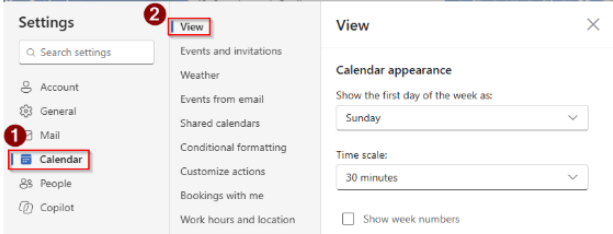
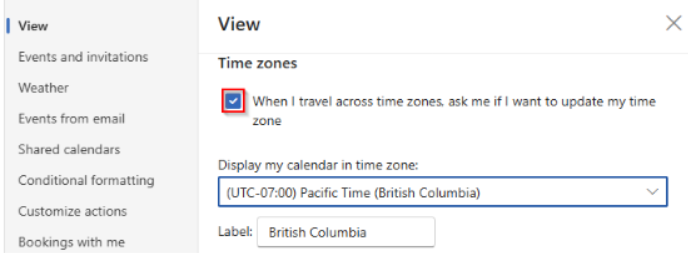
- Under View, scroll down to Time zones and select the Display my calendar in time zone dropdown.
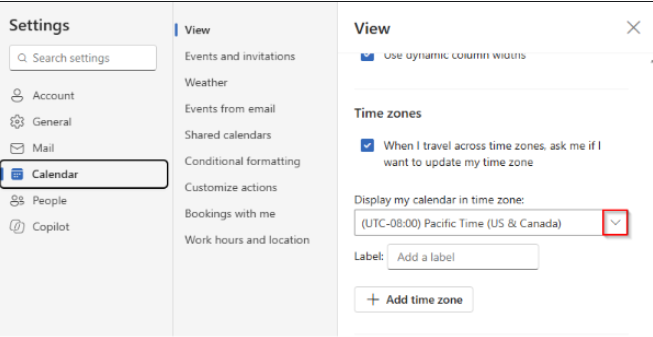
- Select the option you want for your time zone:
- (UTC-07:00) Pacific Time (British Columbia)
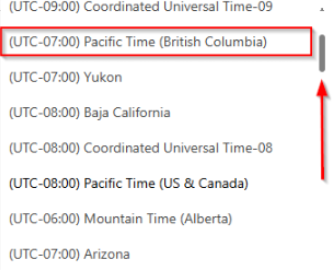
- (UTC-07:00) Pacific Time (British Columbia)
- In the Label field, you can add a name for your time zone.
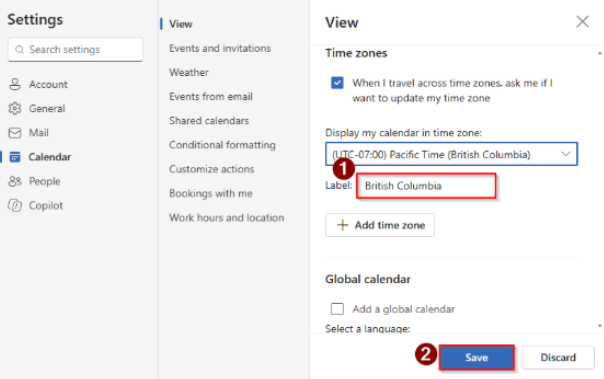
- If you want to update your time zone when traveling across different zones, select the checkbox When I travel across time zones, ask me if I want to update my time zone.
- Select Save.
Classic Outlook:
- In classic Outlook, select the File tab.
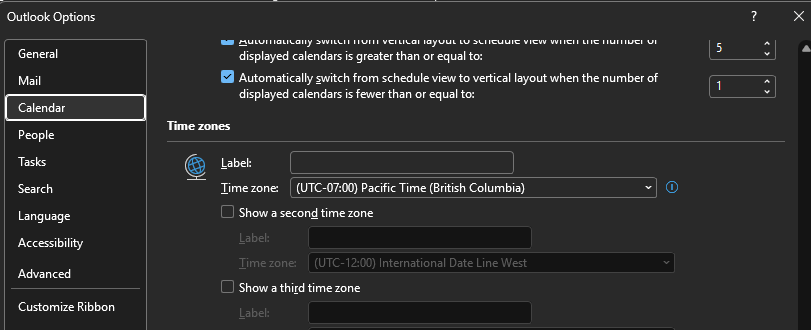
- Select Options then select Calendar.
- Scroll down to Time zones, select the Time zonedropdown, and then select the option you want for your time zone:
- (UTC-07:00) Pacific Time (British Columbia)
- (UTC-06:00) Mountain Time (Alberta)
- (UTC-05:00) Manitoba
- In the Label field, you can add a name for your time zone.
- Select OK.
Outlook on the web:
- In Outlook on the web or Outlook.com, at the top of the window, select either the Settings button or Access additional features ..., then select Settings.
- Select Calendar and then select View.
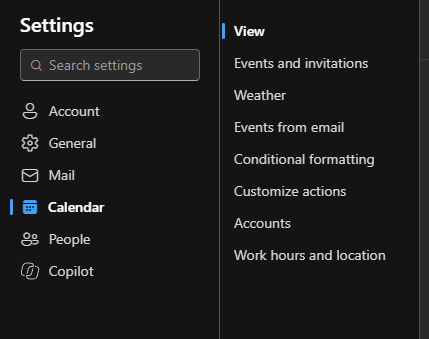
- Under View, scroll down to Time zones and select the Display my calendar in time zone dropdown.
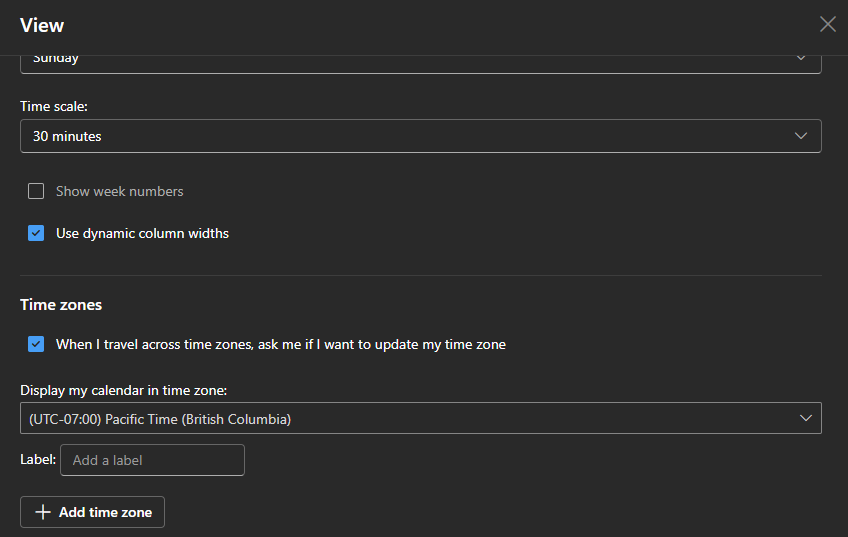
- Select the option you want for your time zone:
- (UTC-07:00) Pacific Time (British Columbia)
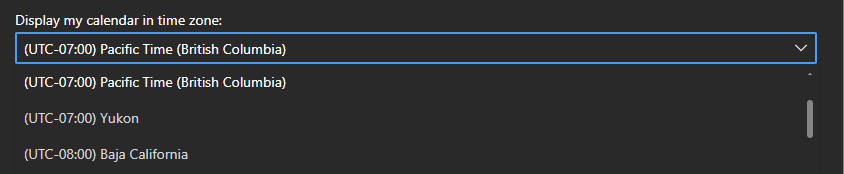
- (UTC-07:00) Pacific Time (British Columbia)
- In the Label field, you can add a name for your time zone.
- If you want to update your time zone when traveling across different zones, select the checkbox When I travel across time zones, ask me if I want to update my time zone.

- Select Save.
Outlook for iOS and Android:
Outlook Mobile uses your device's time zone when creating new calendar events and meetings.
If you're in British Columbia, Alberta, or Manitoba, verify that your device is set to the correct time zone for your region. Once updated, Outlook Mobile will automatically use it for newly created events. No further action is required for new events.